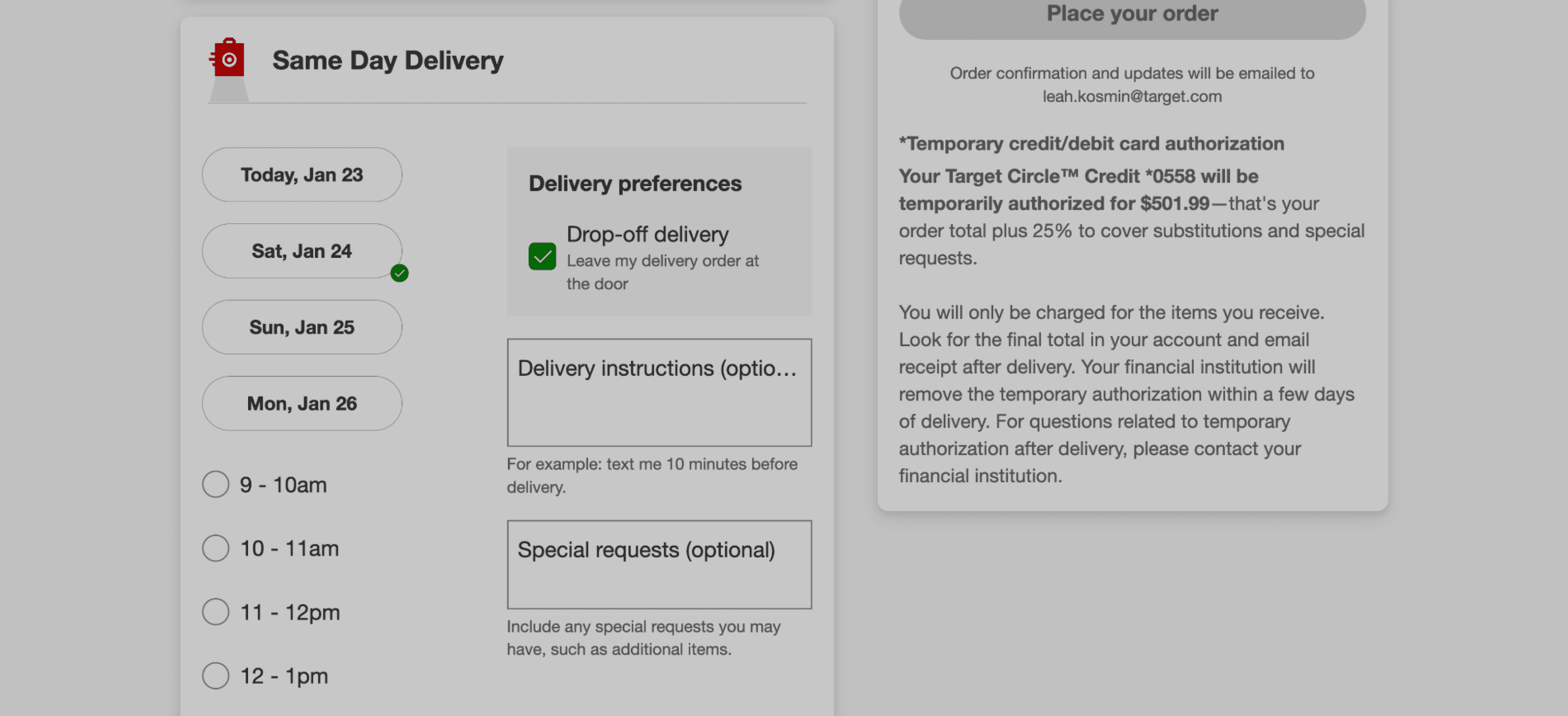
Same Day Delivery Checkout
Target’s same-day delivery flow required guests to choose a delivery window before checkout, but the experience had not evolved in years. As order complexity increased, the time selection experience struggled to scale.
I designed a solution to update the legacy checkout flow as well as provide guests with more confidence and speed about when they would receive their order.
April - September 2025
Target
UIUX Design
Research
A/B Testing
User Flow
Wireframing


Background
As this was my second UX design project I worked on at Target, I felt more prepared to dive into larger scope. I felt I coud more confidently take on a larger project with higher visibility.
Utilizing my engineering knowledge as well as familiarity with Target’s design systems library and best practices I attempted to combine my newfound knowledge on a larger scale design flow.
Goal
Streamline delivery time selection while improving clarity, speed and user confidence
Impact
Modernized the same-day delivery checkout flow for future feature development
Simplified UI for faster and more efficient checkout experience
The Problem

How might we create a more streamlined same-day checkout process for guests so they can place their order with confidence, both now and in the future?

Skip to solution click here!

Researching 2 Hour Delivery Windows
One of my initial design considerations was listing delivery slots by 2 hour increments instead of 1 hour as this could reduce the height of the list by 50%.
Utilizing Shipt's research, it was shown that user’s strongly felt they liked the flexibility of delivery options but wanted control over when their order will be delivered.
I decided to prioritize solutions showing 1 hour window slots to help provide users with more of a sense of confidence in their orders.
Insight #1
6/6 participants chose 1 hour over 2 hour windows.
Insight #2
Delivery windows <2 hours were considered “too long” and associated with other types of work (such as home repairs or cable installations).
Competitive Analysis
Looking at competitors strategies around same-day delievery:
Walmart emphasized express delivery upsells
Amazon merged same-day and standard shipping experiences
Competitors used spacing and hierarchy effectively to reduce visual density

Hypothesis: By surfacing less delivery times, the user will be able to checkout more efficiently and more confidently.

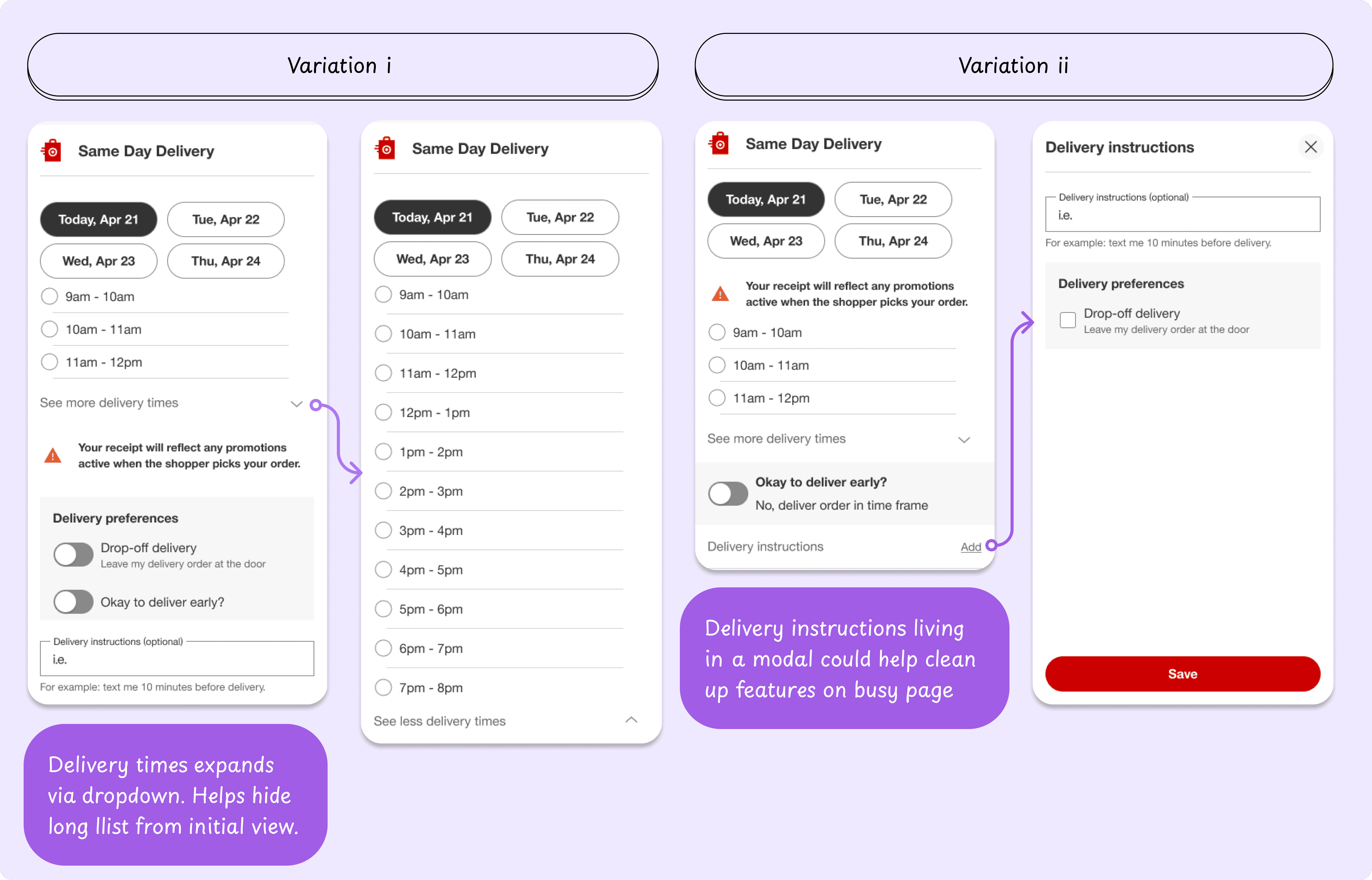
Solution 1: Accordion Structure
In order to lessen the cognitive load for the user, I created a accordion solution. The user would be shown 3 delivery window slots per day, with the option to expand out and view more times. However, from an accessibility perspective this solution could be difficult for users utilizing voice control.
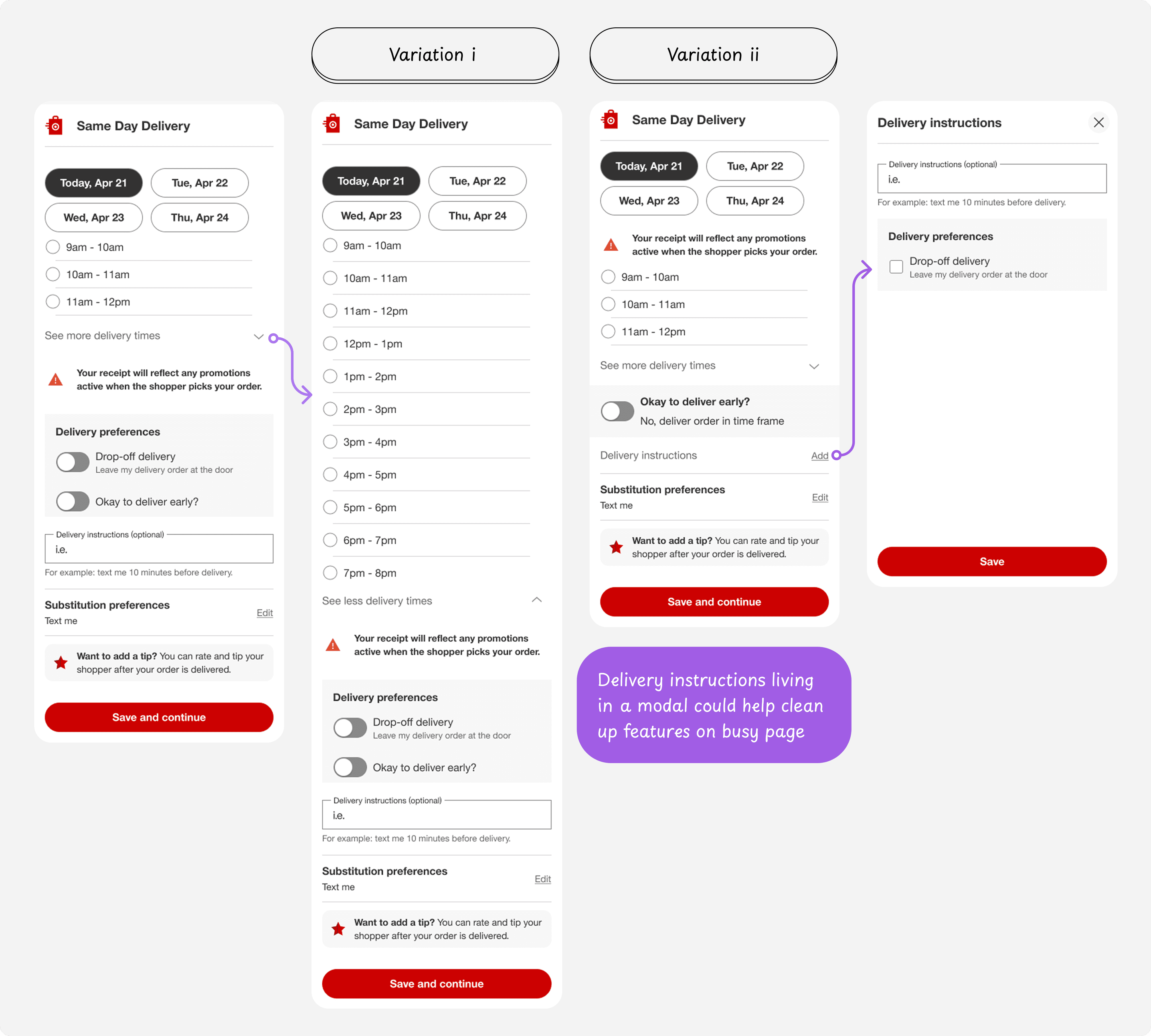
Solution 2: Default Delivery Time
This solution automatically selects the first delivery time available. As an alternative, the user could choose "Schedule Delivery" to display more times.
In an ideal scenario, the time for a guest to checkout would be significantly reduced. However, the tradeoff is that guests may fail to notice the preselected delivery time until after they've checked out.

User Testing & Iteration
To ensure the checkout experience was both usable and confidence-inspiring, I ran three rounds of unmoderated testing utilizing user-testing.com . These rounds progressed from broad usability validation to targeted design decisions, culminating in an A/B test that informed the final interaction model.
Round 1: Progressive Disclosure
I created a prototype that would surface less times in chip format with a modal that would open to display more times to the user, while still pre-selecting the earliest delivery time.
Participants with recent Same Day Delivery experience were then asked to complete realistic checkout tasks:
selecting a delivery window
adjusting the delivery date
editing delivery instructions

Overall, these tests performed well. Participants consistently described the experience as intuitive and easy to navigate. Delivery windows were clearly understood, “View more times” was discoverable, and users completed tasks quickly without hesitation.
However, after sharing these designs internally, the design systems team flagged inconsistencies in interaction patterns such as the “View more times” not being consistent with other actionable items on the page. The ”Okay to delivery early?” checkbox also was distracting in a gray box, so I wondered if there was an alternative design for this as well.
The Good
5/5 participants were able to open the modal to view more times
The Bad
2/5 participants wondered if a design with radio buttons would be easier to read.
Round 2: Delivery Instructions Placement
I explored moving delivery instructions to the address section as this cold feel more natural with user's mental model and help them move through the flow quicker. This would also be consistent with how the address settings under the user profile is structured today.
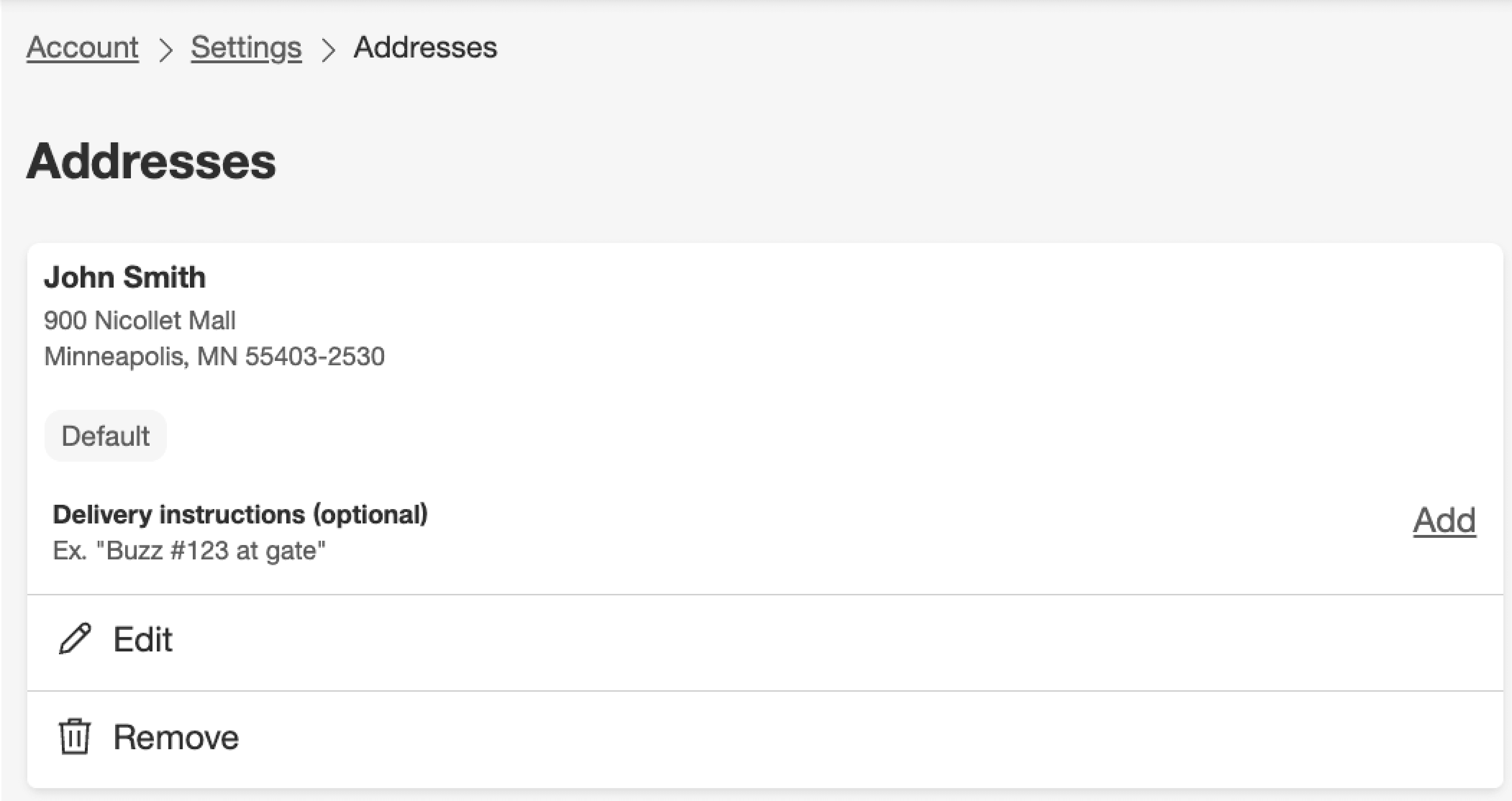
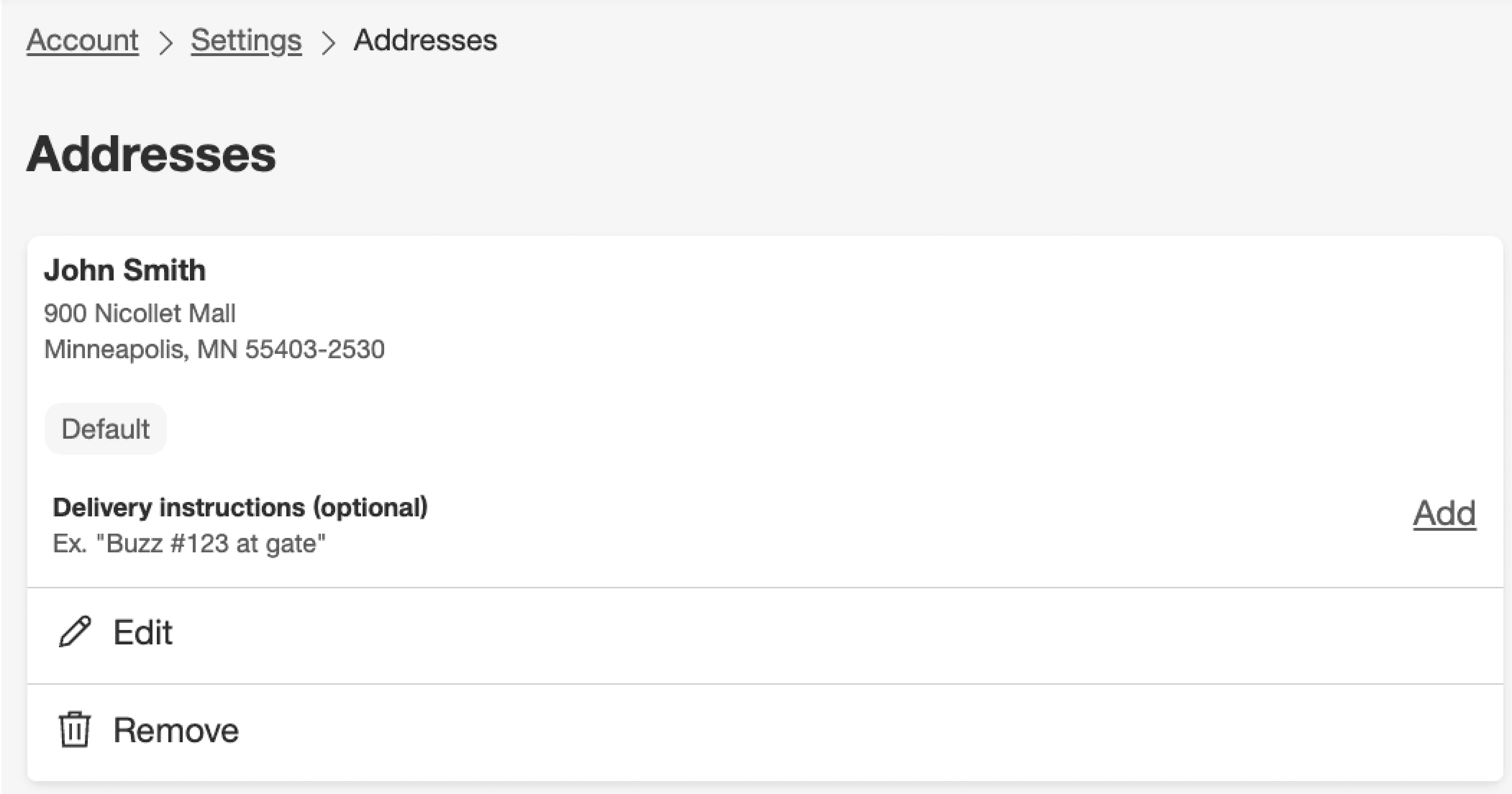

Participants consistently associated delivery instructions with the delivery address as opposed to the delivery time
Instructions were perceived as location-specific and tied to physical context
However, some participants pointed out that the instructions might be seen as a “global” instruction that would apply to all of their registered addressed. I refined the copy to “Save instructions to this address” to further clarify instructions applying to a specific address.
The Good
100% participants successfully located and edited delivery instructions without assistance.
The Bad
2/5 participants mentioned the risk of forgetting their instructions had been saved.
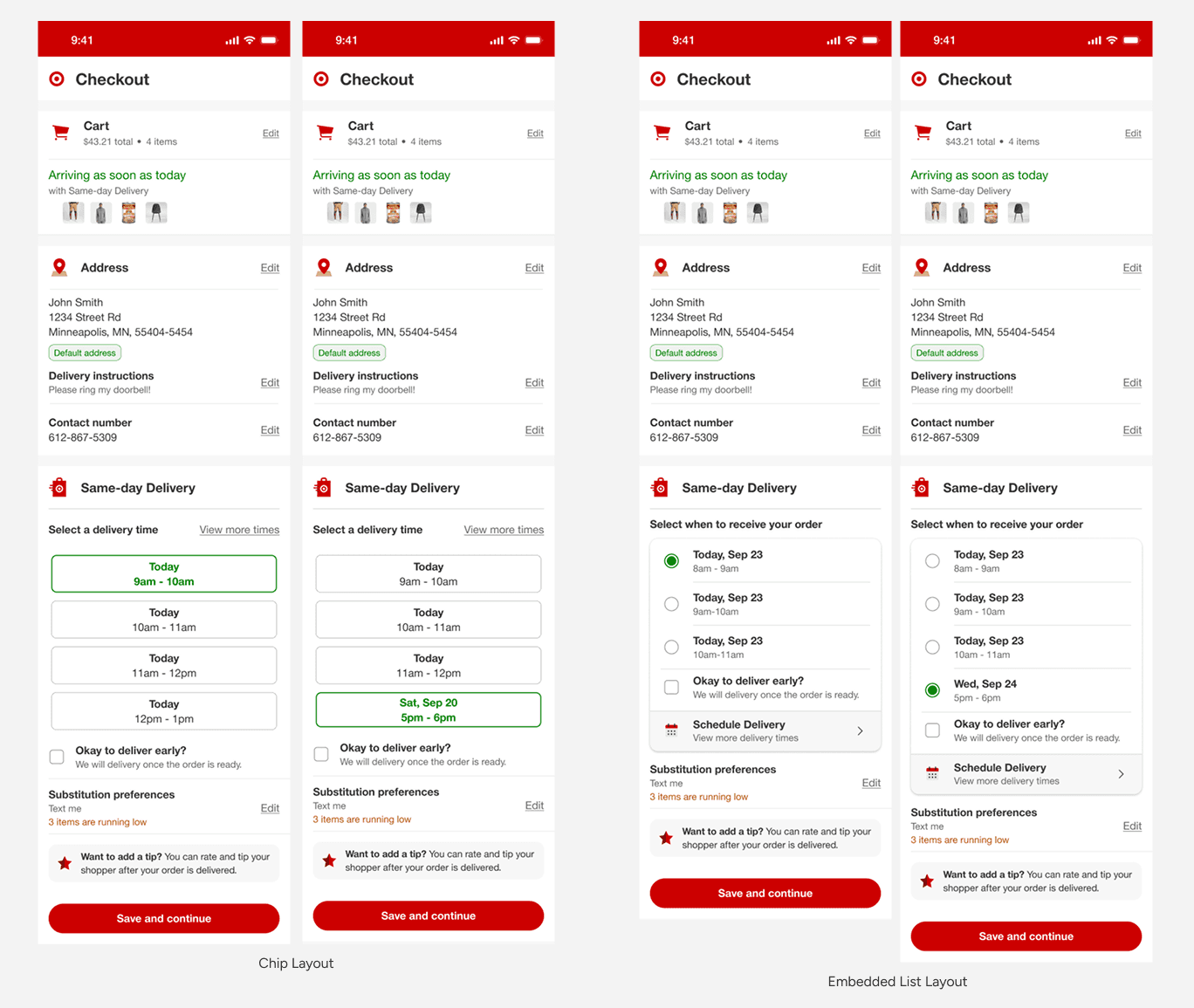
Round 3: Chips vs. List A/B Test
After many rounds of user testing and gathering data, I still felt the lingering question: chips vs list? In order to help clarify any doubts and optimize the delivery window experience, I ran an A/B tests for the two interaction models to see if chips or embedded list would perform stronger.

Both patterns were usable, and participants completed tasks successfully. However, behavioral differences emerged:
participants commented that the chip layout reduced visual density and enabled faster recognition
embedded layout felt more comprehensive but visually heavier
Result #1
100% task success rate for selecting and updating delivery windows.
Result #2
Majority completed in under 10 seconds in both options.
The Solution
The final design reduced cognitive friction while reinforcing user confidence by utilizing the following:
Chip-based delivery selector
A modal to reduce delivery window fatigue
Improved confirmation states
Since desktop offers slightly more real estate, this version would be used to expand the chips while on mobile web they would stack vertically (see design below).
Research supported relocating delivery instructions outside the SDD module in future iterations, though cross-team dependencies delayed implementation.

Key learnings & Emerging Design Principles
Across all rounds, several themes emerged. Users valued control over automation, particularly around saved delivery instructions.
These learnings could help shape design principles for any future design updates for the checkout page to ensure the best user experience.
Takeaways: Trust was a recurring theme. Even small ambiguities created anxiety in a high-stakes interaction like same-day delivery. Visual clarity and progressive disclosure reduced cognitive load and increased confidence.

Next Steps & Special Instructions
After meeting with the engineering team, this work is slated on the roadmap for 2026. The engineers were confident that data should be safe and available. This design will help provide options for adding more features as well, or upselling membership programs.
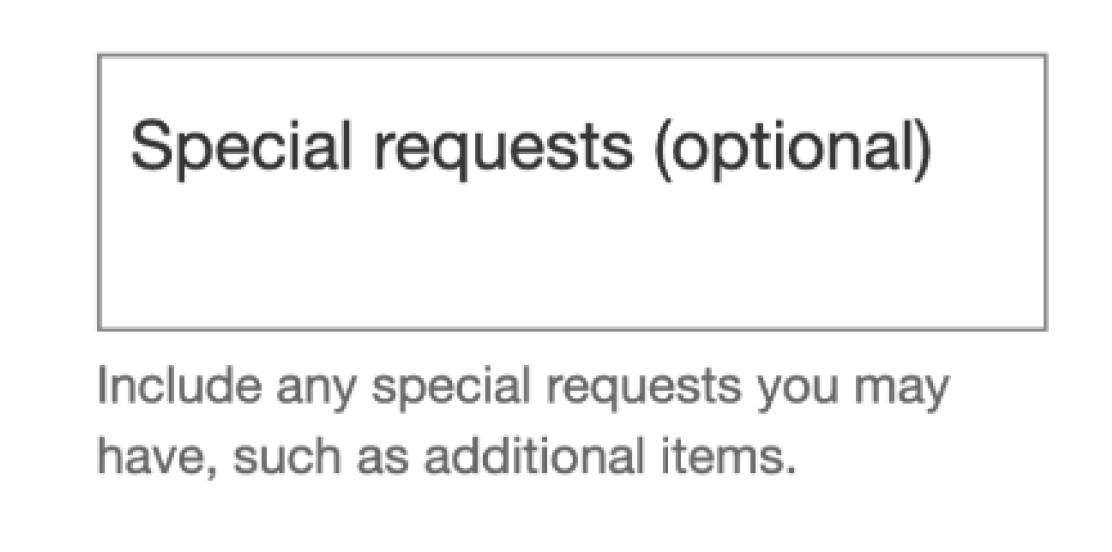
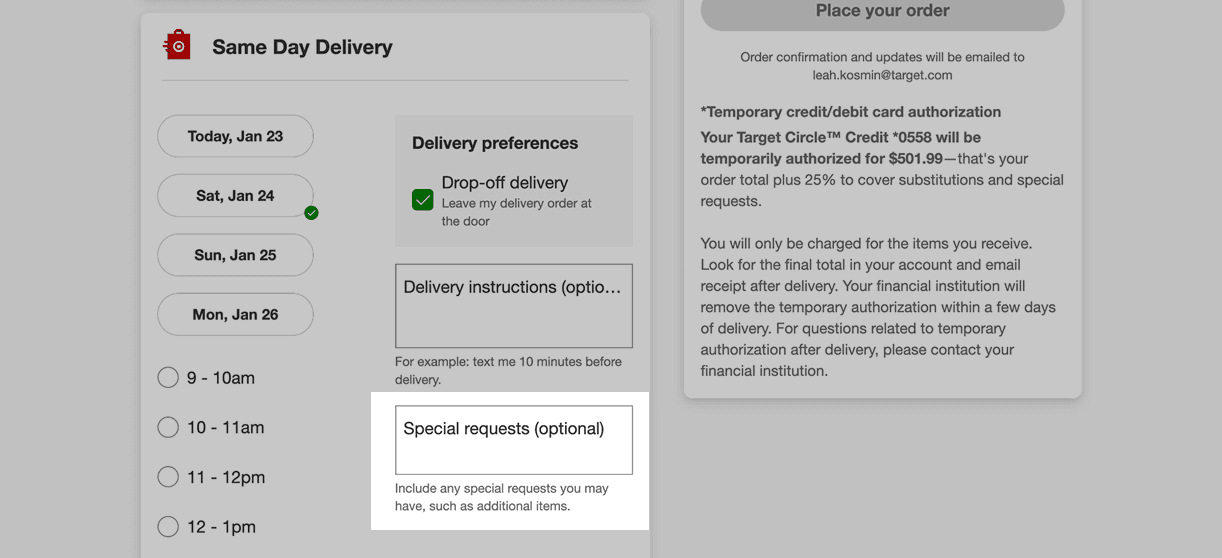
This project also continued the effort to remove "Special Instructions" from the SDD section. I still felt strongly that special instructions did not belong in SDD and moving it elsewhere could help provide clarity and create a faster checkout experience. Currently on mobile, this feature lives in cart so perhaps the most natural case is to move it there.